SilentOverlay
Your screen.
Your setup.
Your command.
My Mission
Turn underused screens into intelligent command centers that blend aesthetics, utility, and interactive controls. Making everyday computing feel more useful, personal, and alive.
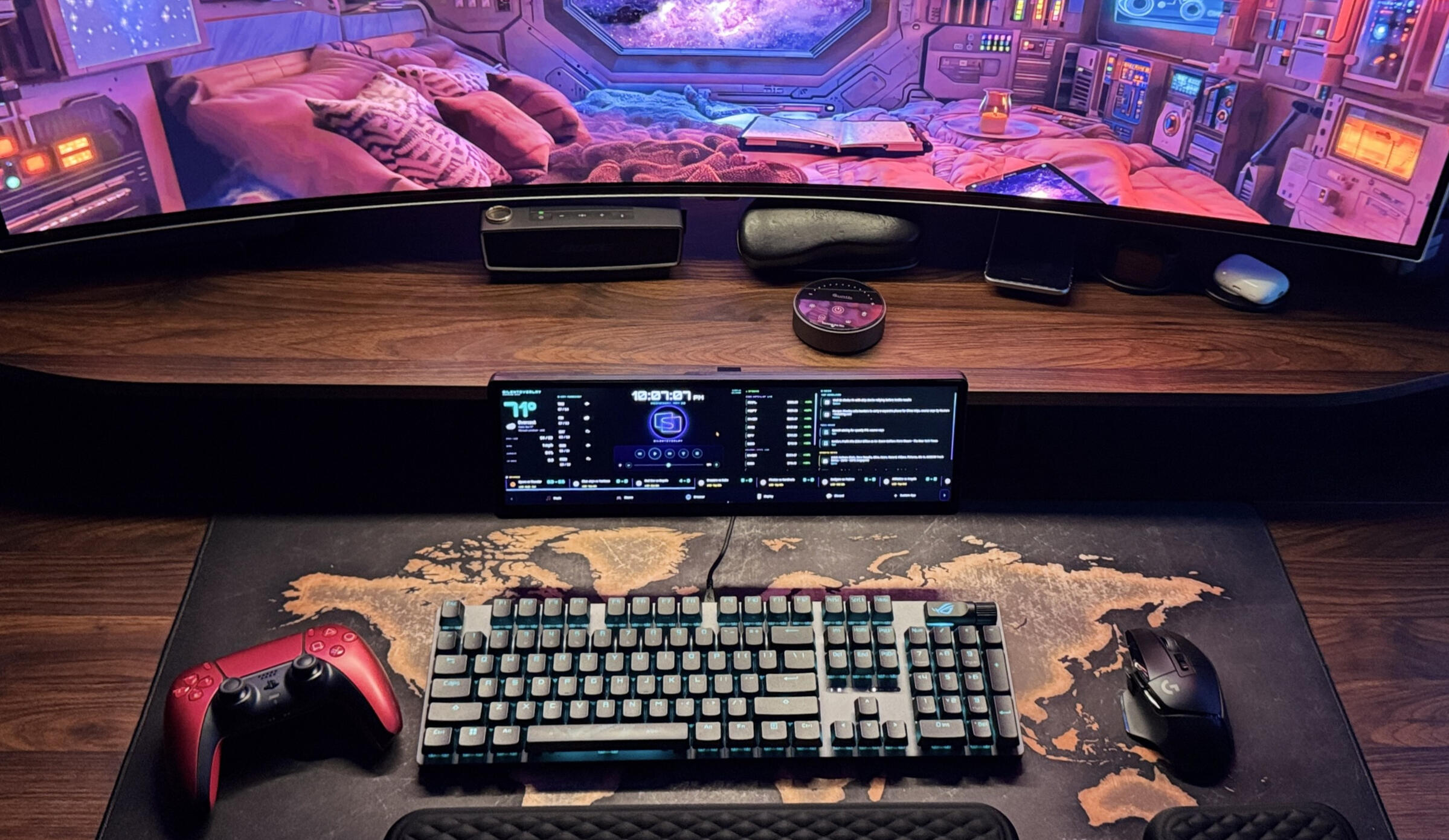
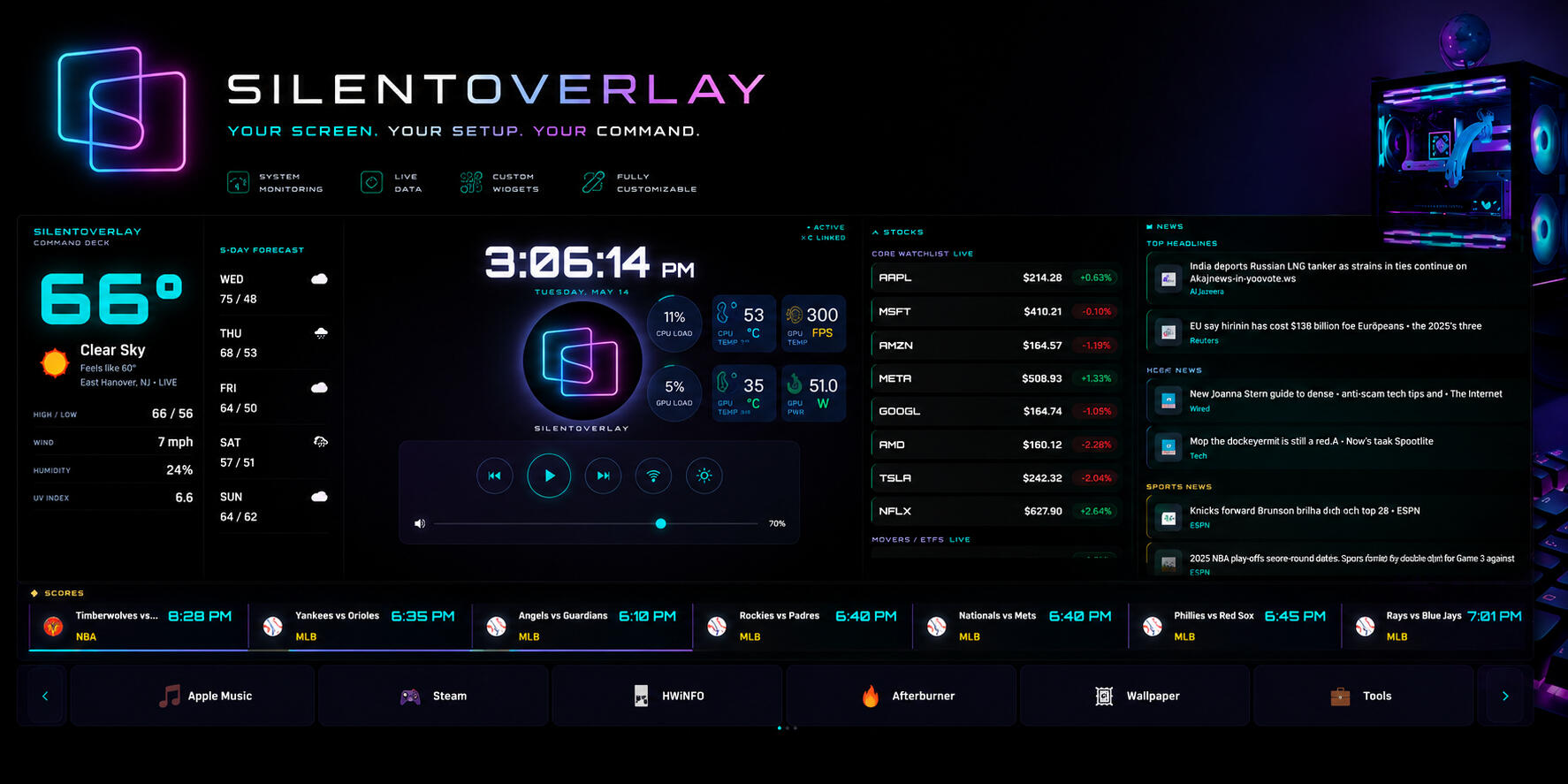
SilentOverlay is a Windows app that brings that idea to life.Use your secondary and underused displays for media, weather, news, stocks, sports, launchers, and interactive controls. All without constantly jumping between windows.Built for PC enthusiasts, gamers, creators, and productivity-focused users who want more from the screens they already have.
My Story
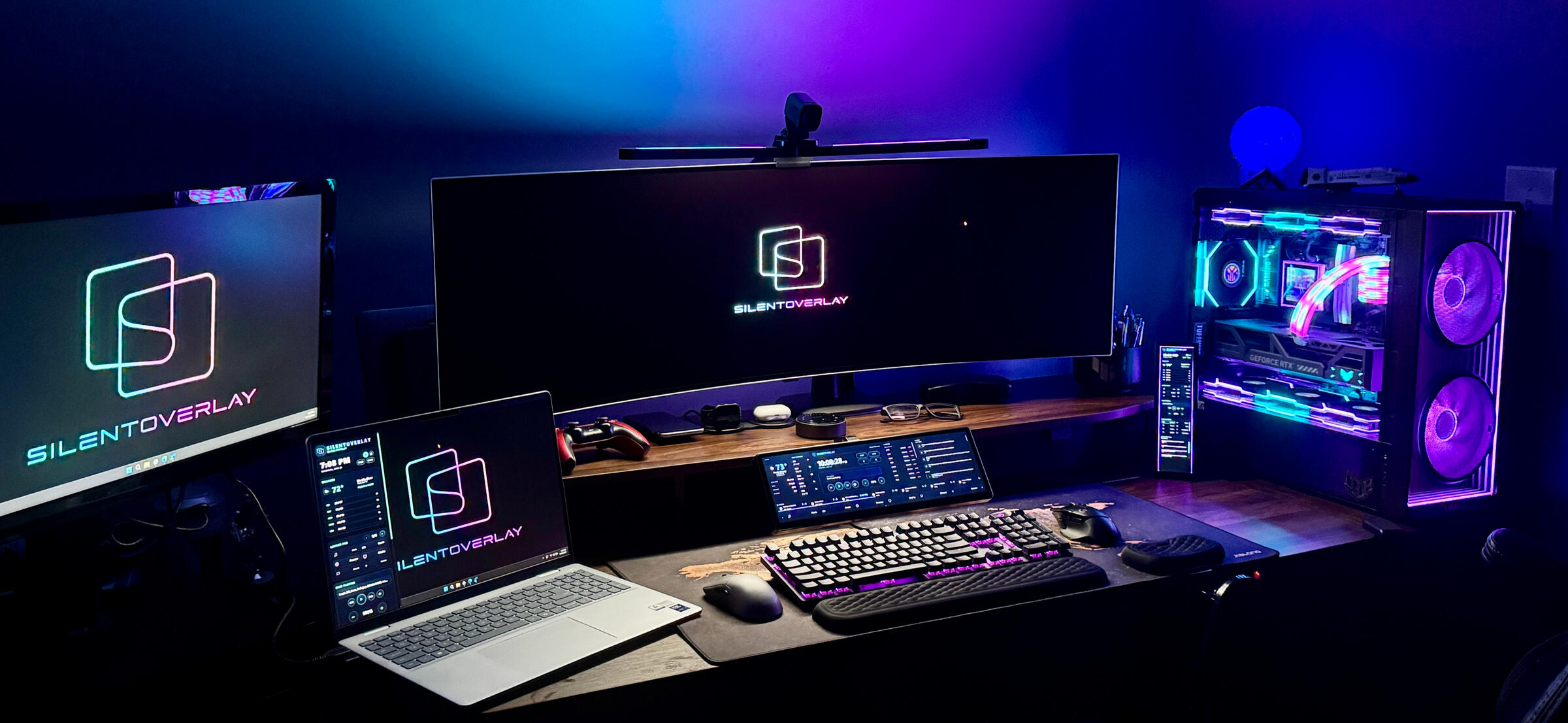
SilentOverlay started because I looked at my own setup and thought: this screen could be doing way more.I’ve always loved futuristic command-center setups. That led me to building a personal command deck that actually matched my day-to-day behavior: WFH by day, gamer by night. Quick access to media, apps, launchers, weather, news, stocks, sports, and controls without breaking my flow.Fast forward to now, and SilentOverlay is an app being tested on real setups, real desks, and real multi-display battlestations and workstations.Still early. Still evolving. But the mission is clear:
Turn extra screens into something useful, immersive, and personal. Something alive.
Updates
Private Preview 3 now testing
(Windows only · Touch + Mouse · Built for extra screens)
Join the conversation and help grow the SilentOverlay community!
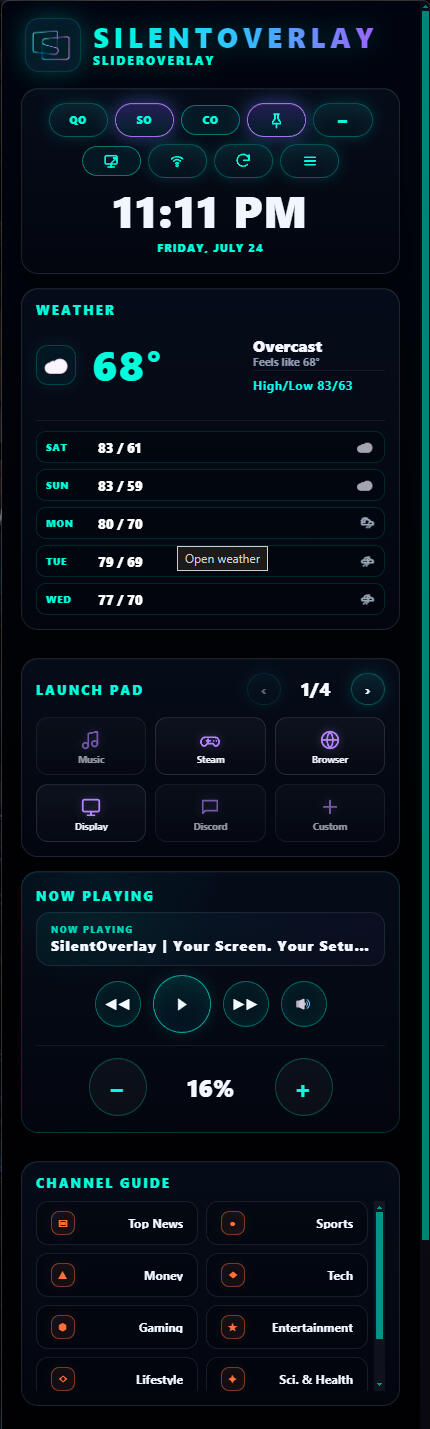
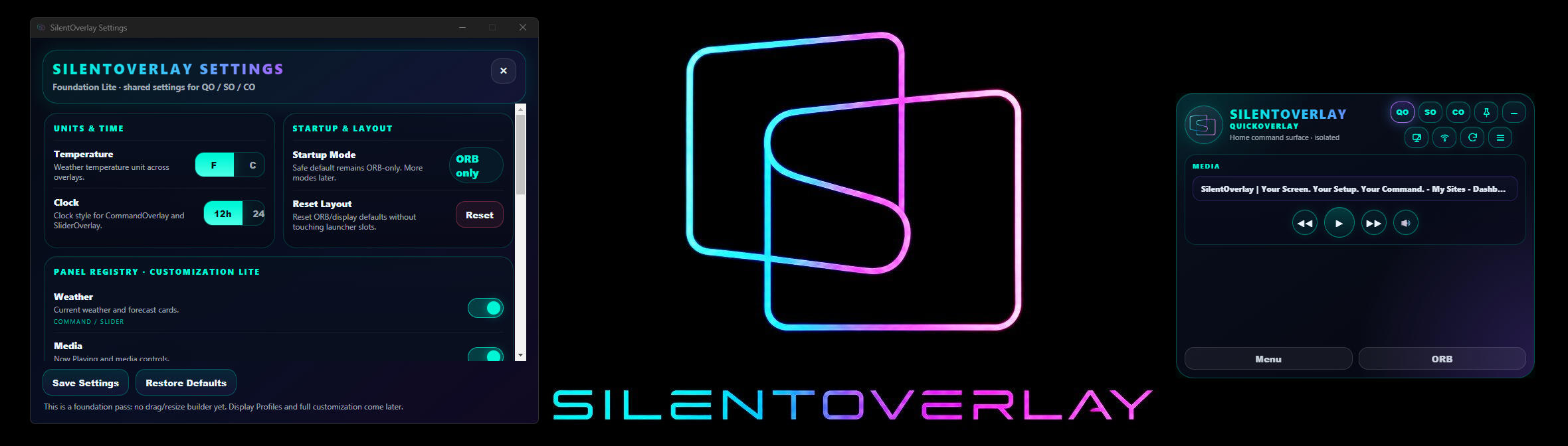
July 24, 2026
• SilentOverlay 0.5.0 Preview 3 is now the current private tester candidate build
• This preview is a major stability and usability step forward, bringing QuickOverlay, SliderOverlay, and CommandOverlay into a cleaner shared flow with improved startup behavior, better overlay switching, live Settings, panel visibility controls, and stronger day-to-day reliability
• Preview 3 expands SilentOverlay from a two-surface tester build into a more complete Windows command-layer experience, with the ORB, QuickOverlay, SliderOverlay, and CommandOverlay now working together more naturally across real-world setupsCurrent focus:
• QuickOverlay, SliderOverlay, and CommandOverlay routing
• ORB startup and overlay launch behavior
• Settings Foundation testing
• panel visibility toggles
• temperature unit and clock format preferences
• SliderOverlay pin, click-away, and movement behavior
• CommandOverlay weather, news, stocks, sports, media, and launcher reliability
• Xeneon Edge / 2560×720 testing
• touch + mouse usability
• display movement and multi-monitor behavior
• installer, tray, refresh, hide/show, and quit behavior
• selected tester feedback before broader access
• QuickOverlay now acts as the main entry point into SilentOverlay, giving users fast access to core controls, media, weather, and overlay switching without needing to open the full command deck first
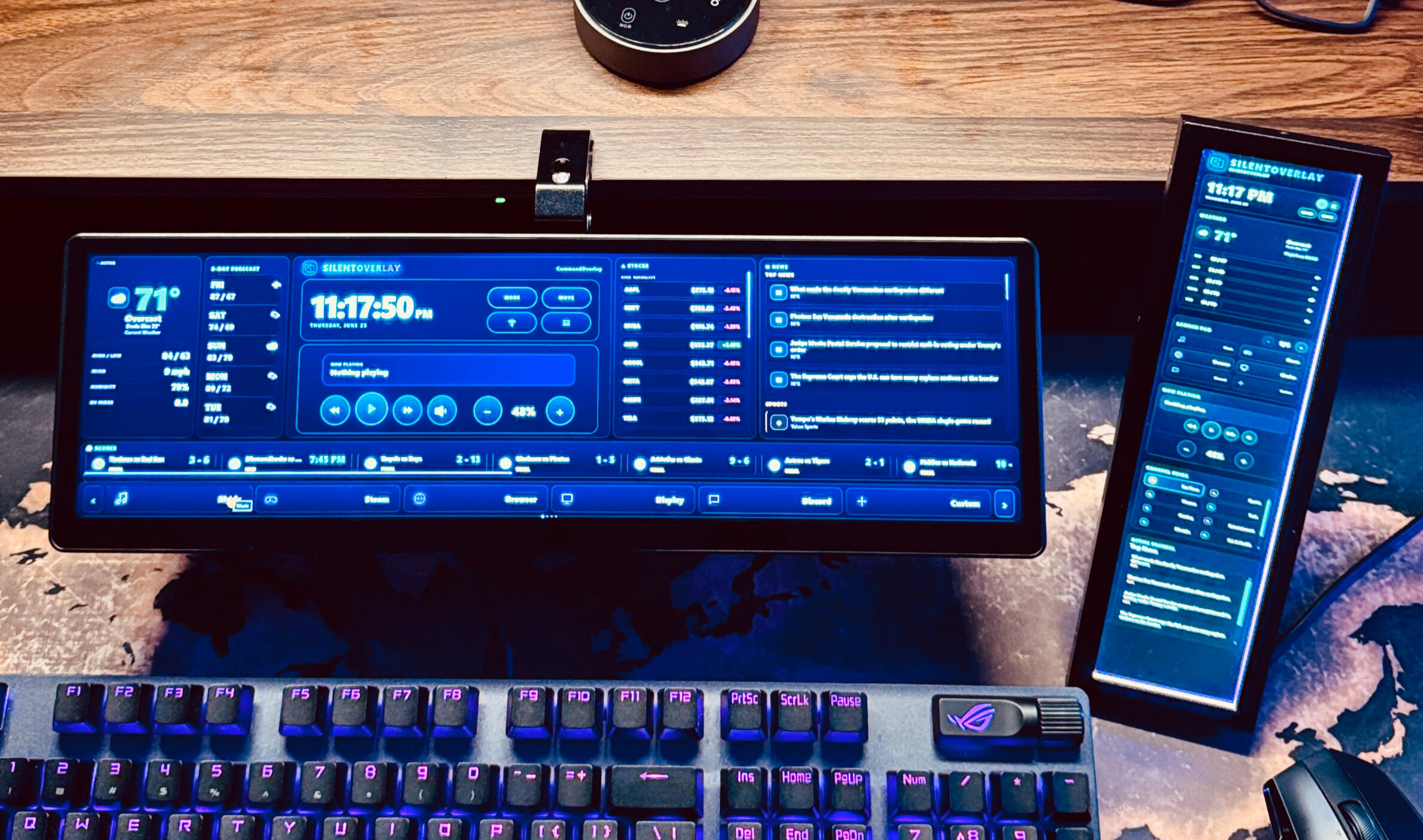
• SliderOverlay is now more stable as a side-panel experience, with improved pin behavior, cleaner weather/date presentation, better media layout, channel/news sections, launcher access, and smoother day-to-day interaction
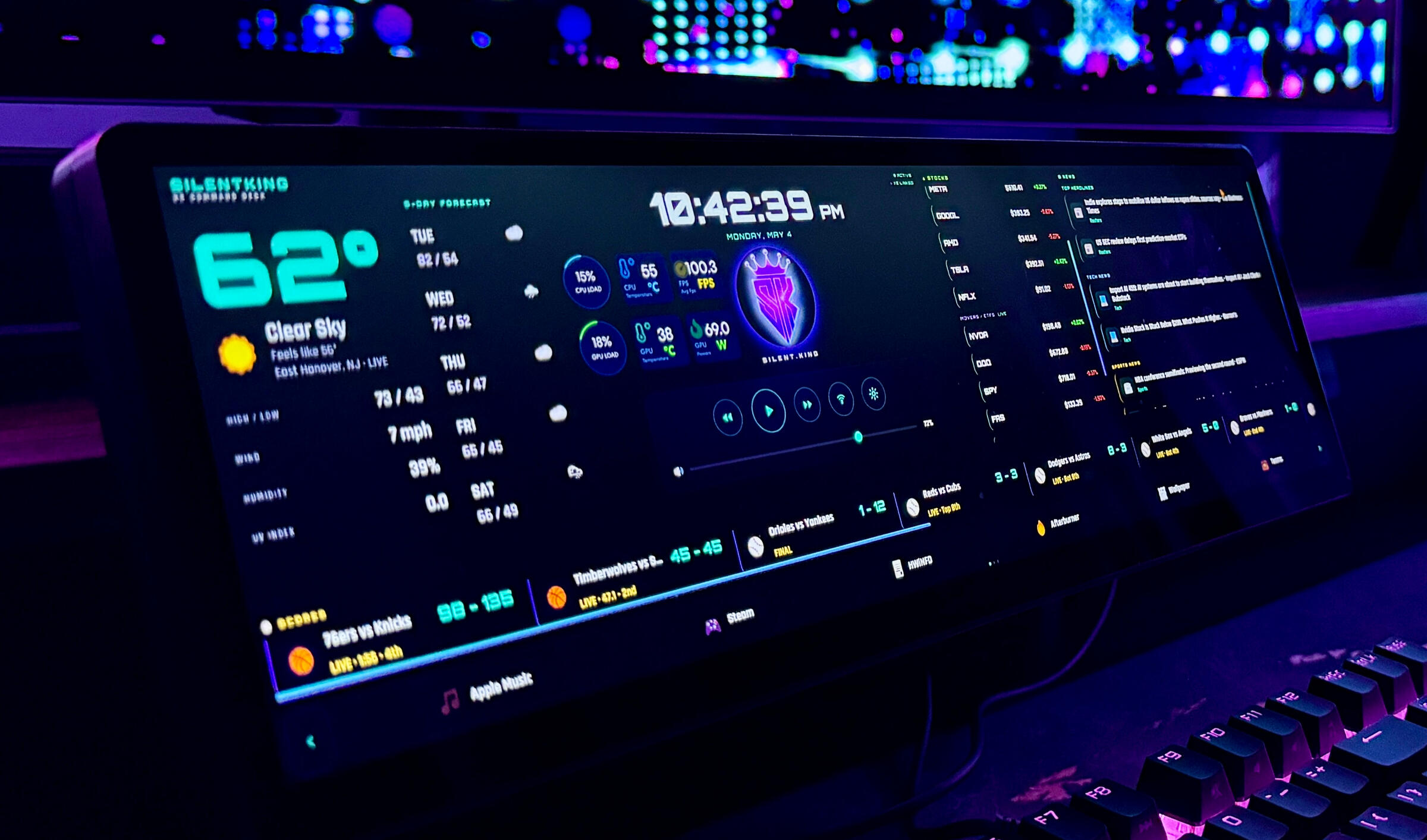
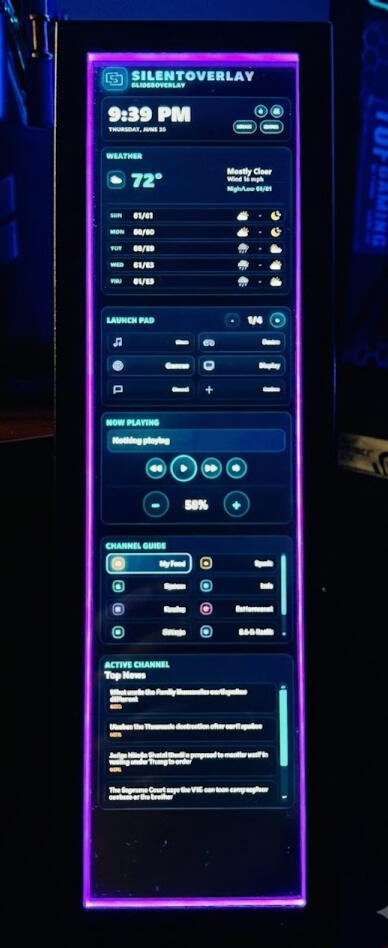
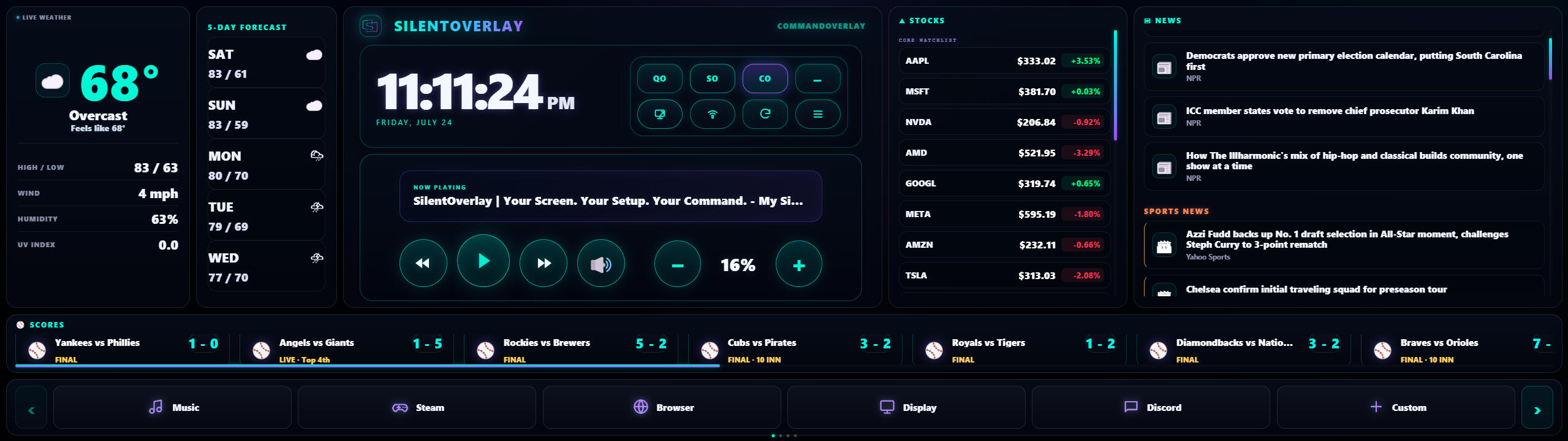
• CommandOverlay now has a cleaner live command dashboard layout, including weather, forecast, news, stocks, sports scores, media controls, volume controls, launcher shortcuts, and a more polished command/control area
• Settings are now live in the private tester build, allowing users to adjust temperature units, clock format, and panel visibility without needing a rebuild or manual changesPreview 3 testing focus:
• install and launch behavior
• ORB → QuickOverlay behavior
• QuickOverlay → SliderOverlay switching
• QuickOverlay → CommandOverlay switching
• SliderOverlay pin / unpin / click-away behavior
• Settings window behavior
• panel visibility toggles
• F/C temperature toggle
• 12h / 24h clock toggle
• media controls, mute, and volume
• weather, news, stocks, and sports loading
• launcher shortcut behavior
• display movement across different setups
• touch and mouse usability
• tray Show, Hide, Refresh, and Quit behavior
• stability during normal daily use
• Telemetry, FPS, and full Display Profiles are not included in this preview yet. These remain major roadmap items and will be handled carefully in upcoming builds
• QuickOverlay is functional in Preview 3, but its larger product-focused redesign is still upcoming
• SilentOverlay 0.5.0 Preview 3 is focused on validating the shared app foundation, real-world usability, Settings, overlay flow, and trusted tester feedback before moving into the next major product expansionFuture focus:
• QuickOverlay ProductShell, turning QuickOverlay into a richer everyday command hub for users who want fast access without opening the full dashboard
• Telemetry Foundation, including system monitoring for CPU, GPU, memory, temperatures, usage, clocks, and future FPS-related data
• Display Profiles, including stronger control over preferred displays, horizontal/vertical behavior, saved layout positions, Xeneon Edge setups, secondary monitors, portrait displays, and multi-screen workflows
• Expanded customization, including selectable panels, custom panel order, stock watchlists, sports preferences, weather location, traffic/metro updates, launcher shortcuts, icons, and visual preferences
• Stronger launcher and icon management, including more reliable app, folder, website, and system shortcut handling
• Deeper media and system controls, including richer 'Now Playing' behavior, improved audio controls, and more flexible Windows command actions• SilentOverlay 0.5.0 Preview 3 marks an important checkpoint toward turning extra screens, touch displays, mini panels, and secondary monitors into a personal Windows command deck
Currently recruiting testers for Corsair Xeneon Edge and other touch/non-touch Windows displays.
June 11, 2026
• SilentOverlay 0.4.0 Preview 1 & 2 helped establish the previous private tester foundation.
• This preview brings together the strongest SilentOverlay foundation so far, combining the polished CommandOverlay experience for Xeneon Edge-class displays with the new SliderOverlay side-panel experience for everyday Windows setups
• Preview 1 & 2 introduces a more complete SilentOverlay product family structure, with CommandOverlay and SliderOverlay now visually aligned, functional, and ready for broader real-world testing
Current focus:
• CommandOverlay visual and usability lock
• SliderOverlay side-panel polish
• Xeneon Edge / 2560×720 testing
• touch + mouse reliability
• shared news and category structure
• weather card cleanup with 3-day forecast preview
• media / volume / quick-control consistency
• launcher behavior and shortcut reliability
• display movement, mode switching, and tray behavior
• selected tester feedback before broader access
• CommandOverlay now includes the updated wide command deck layout with weather, stocks, all-category news, sports scores, media controls, volume controls, launcher shortcuts, and a cleaner command panel experience
• SliderOverlay now brings SilentOverlay into a more flexible side-panel format, designed for normal monitors, secondary displays, work setups, gaming setups, and users who want a command layer that stays useful without taking over the screen
Preview 1 & 2 testing focus:
• install and launch behavior
• CommandOverlay and SliderOverlay switching
• hover, pin, hide, and click-away behavior
• news links and category browsing
• weather display and forecast layout
• launcher shortcut testing
• touch and mouse usability
• display fit across different setups
• Local News is visible but not fully configured yet, and full user customization is still being built out. This preview is focused on validating the core experience, stability, and real-world usefulness before expanding access further
• SilentOverlay 0.4.0 Preview 1 & 2 marks the next major step toward turning extra screens, mini displays, and secondary monitors into a personal command deck for Windows
Future focus:
• User customization, including selectable panels, preferred news categories, stock watchlists, sports teams, weather location, launcher shortcuts, icons, and visual preferences
• Expanded display support for more screen types, including mini displays, vertical panels, secondary monitors, ultrawide setups, and future CompactOverlay layouts
• Deeper system and media controls, including improved audio/device controls, richer media integration, stronger launcher management, and more flexible command actions
June 3, 2026
• SilentOverlay Alpha 0.2.9 lays the stable XE-focused alpha build foundation.
• This build finalizes the Phase 1 foundation for Xeneon Edge and mini ultrawide command desk usage, with the strongest launcher customization, icon handling, media controls, display movement, and command panel behavior to date.
• Alpha 0.2.9 also improves custom shortcut management, cleans up launcher slot behavior, expands usable icon options, and preserves the stable live dashboard experience testers have already validated.
Current focus:
• Xeneon Edge / 2560×720 stability
• touch + mouse reliability
• launcher customization polish
• CommandOverlay usability
• media / volume / quick-control consistency
• display movement and refresh behavior
• tester feedback before broader access
• This concludes Phase 1 of SilentOverlay: making the CommandOverlay experience stable, useful, and reliable on Xeneon Edge-class displays.
• Phase 2 begins with the 0.3/Preview1, focused on expanding SilentOverlay beyond dedicated mini displays and into a true display-aware command layer for everyday Windows screens.
Phase 2 focus:
• Early Preview1 work is exploring SliderOverlay, a new side-panel experience designed to bring SilentOverlay’s live command layer to normal monitors, secondary displays, work setups, and gaming setups without taking over the whole screen.
SliderOverlay foundation:
• normal monitor / secondary monitor testing
• display-aware behavior
• cleaner hide / reveal interaction
• real-world productivity and gaming use cases
• keeping SilentOverlay useful without getting in the wayMay 31, 2026
• SilentOverlay Alpha 0.2.5 introduces the first in-app custom launcher editor, allowing testers to add apps, folders, websites, and shortcuts directly from the overlay.
• Early feedback has been positive, with testers validating Xeneon Edge usage, touch + mouse control, launcher customization, Fit Overlay, and daily-use stability.
Current focus:
• launcher customization reliability
• Xeneon Edge / 2560x720 polish
• Fit Overlay behavior across different displays
• standard monitor / ultrawide testing
• command panel usability
• news / stocks / content personalization planning
• real-world tester feedback before wider beta accessMay 24, 2026
• SilentOverlay Alpha 0.2.2 is the first-wave in testing.
• This build keeps the stable 0.1.12 foundation while adding expanded launcher pages and quick-access command deck controls.
• SilentOverlay is moving from live dashboard to live dashboard + command deck.
Current focus:
• launcher pages
• app / link / settings shortcuts
• touch + mouse testing
• Xeneon Edge stability
• normal second-monitor testing
• real-world tester feedbackMay 20, 2026
• SilentOverlay Alpha 0.1.12 is being tested by XE tester group.
• This build focuses on layout safe-area polish, clock/date positioning, display targeting, hybrid volume control, Windows volume sync, and general tester hardening.
Current focus:
• Xeneon Edge / 2560x720 horizontal layout
• install and launch reliability
• display targeting across multi-monitor setups
• touch + mouse behavior
• media / volume controls
• real-world tester feedback
Features
SilentOverlay Demo
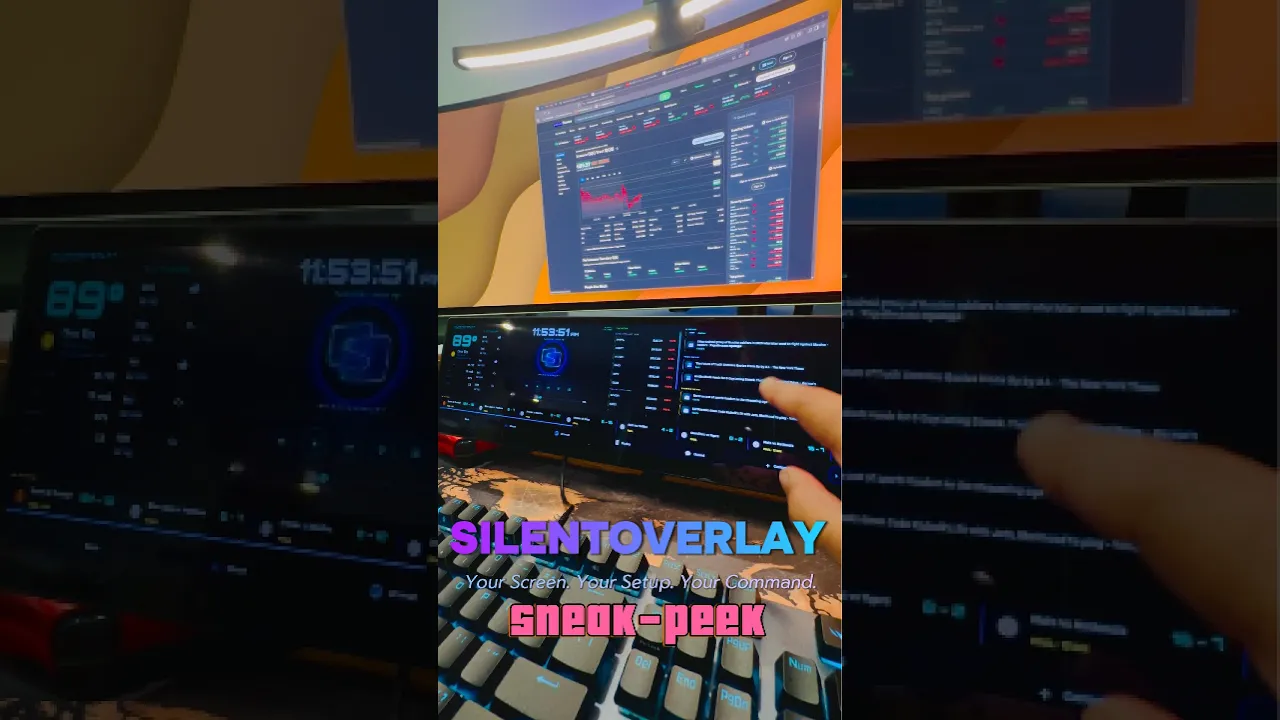
SilentOverlay Features
• Live Command Panels: Weather, clock, news, stocks, sports, and more ...always alive on your extra screen
• Touch & Mouse Ready: Tap, click, scroll, swipe, and control your setup naturally
• Media + Volume Control: Playback, mute, and Windows volume control right from your command deck
• Quick App Launcher: Open your favorite apps, links, settings, and shortcuts instantly
• Multi-Display Targeting: Move SilentOverlay between connected screens and have it remember the right display
• Custom Themes & Styles: Match your setup with colors, presets, and personalized visual styles
• Built for Battlestations & Workstations: Designed for Xeneon Edge, ultrawides, mini displays, and multi-screen PC setups
Compatibility
Any display connected to Windows
• HDMI, DisplayPort, USB-C, and DisplayLink
• Secondary monitors (any size)
• Ultrawide & super-ultrawide monitors
• Internal laptop displays
• Portable monitors
• Touch and non-touch Windows displays
• Mini displays / sensor panels
Contact
Ready to make your screen feel alive?
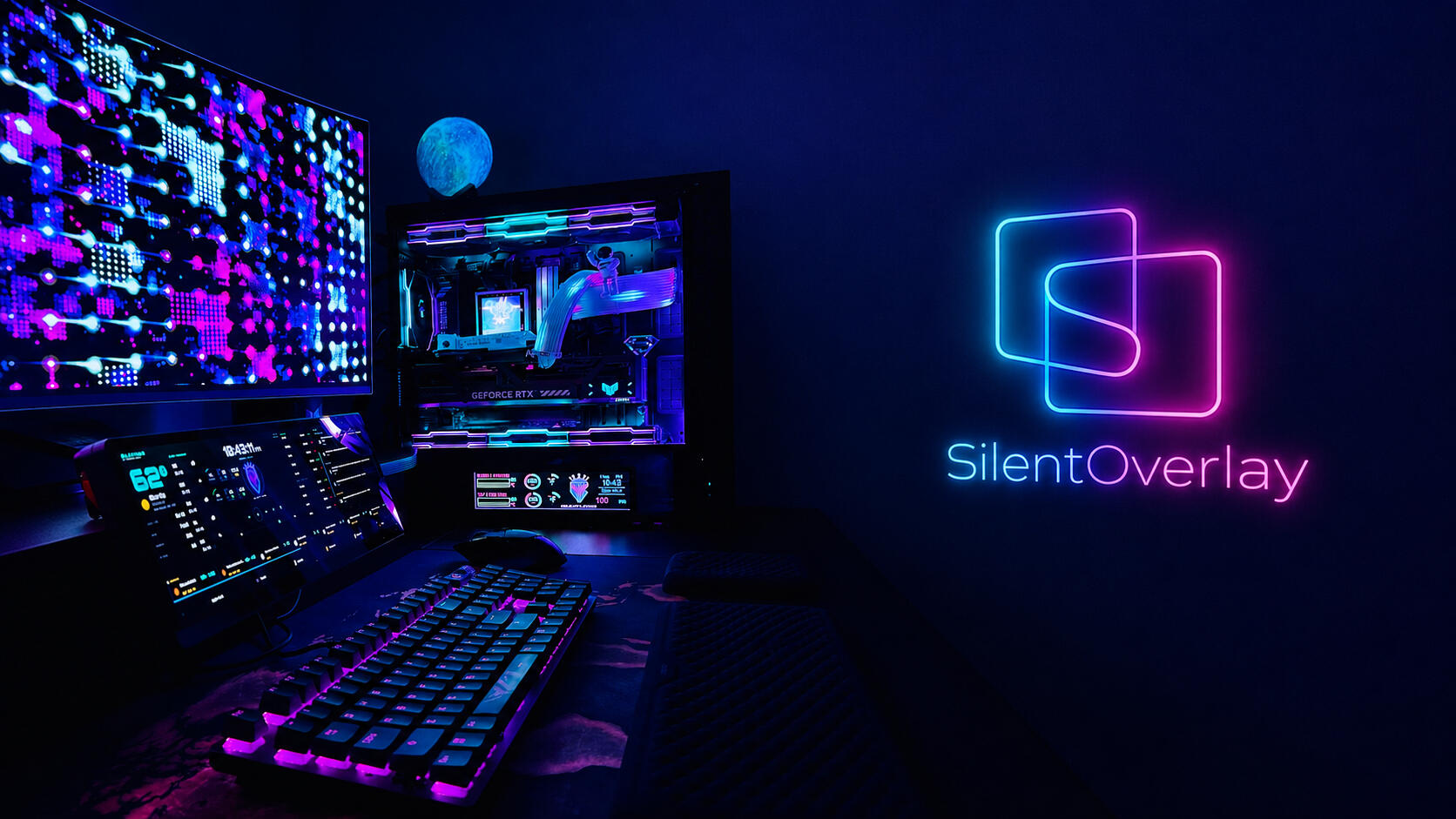
Join the SilentOverlay Waitlist
Be first to get beta updates, launch news, and early access invitesCurrently recruiting testers for Corsair Xeneon Edge and other touch/non-touch Windows displays
Follow Us